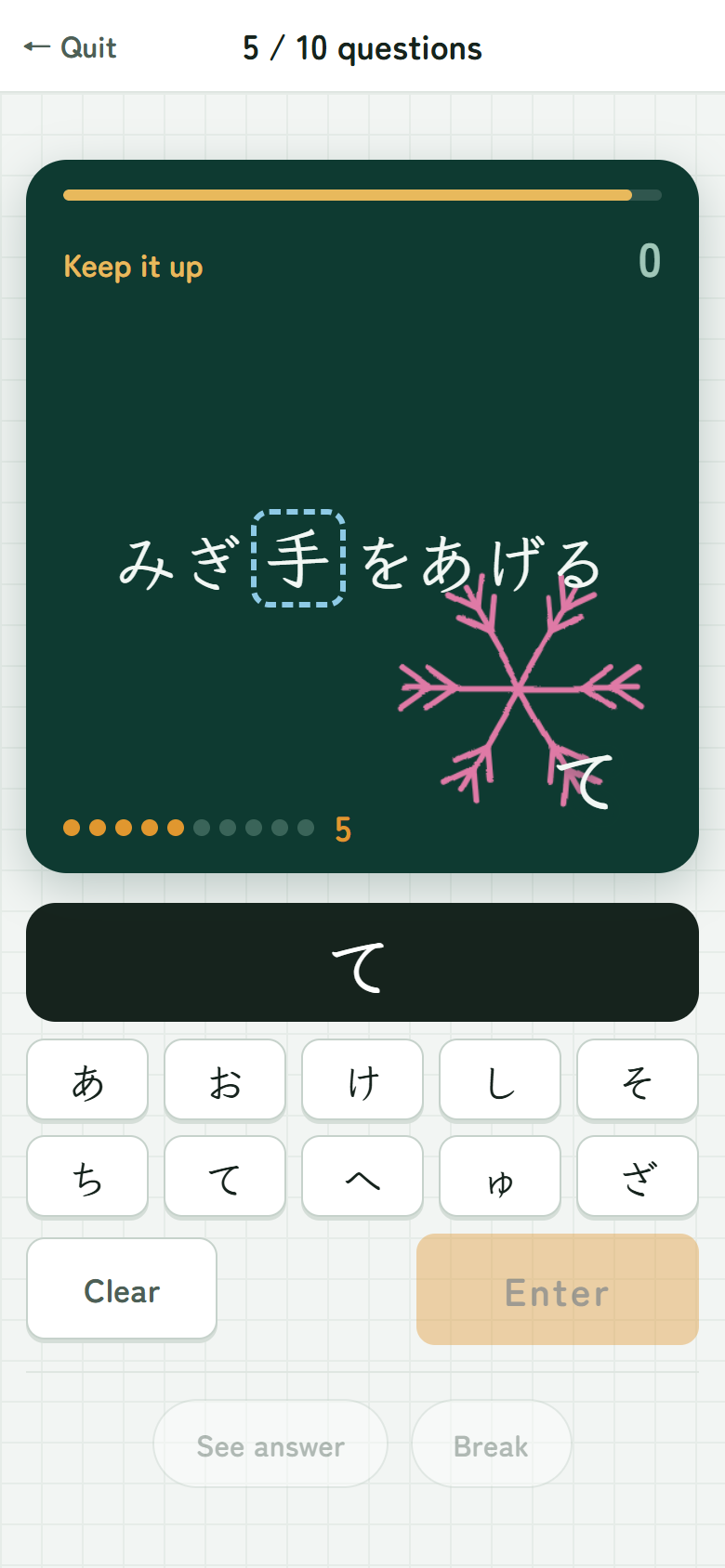
Answer the kanji in the sentence that appears on the blackboard.
Pick from the choices below, then tap “Enter”. That’s all.
The kanji you find hard show up more often.
Get several right in a row and you win a picture.
A drill for the kanji taught in Japanese elementary school. A round is 10 questions and
takes about 3 minutes. It covers 1,026 characters and about 5,750 questions for
school years 1–6, asking both the reading and the character itself.
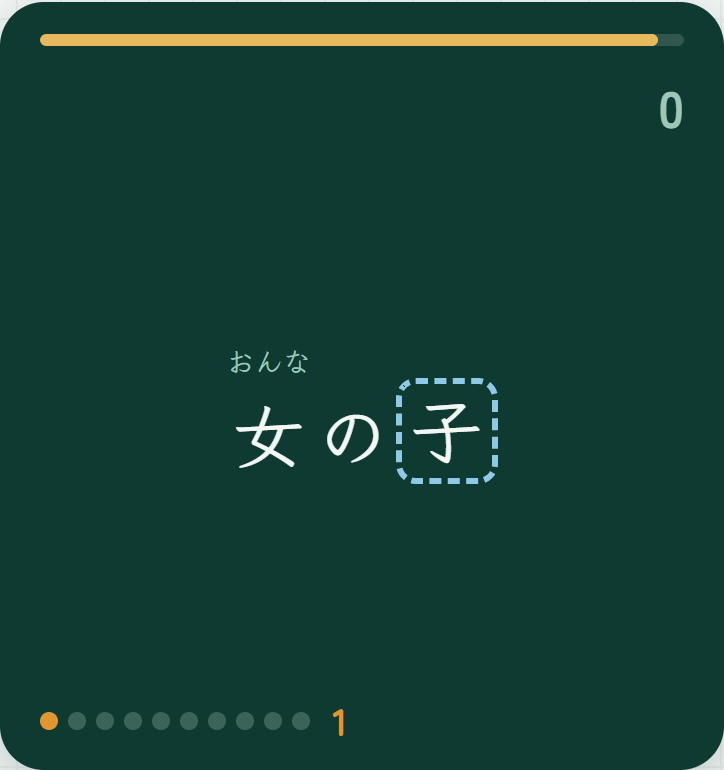
A short phrase appears, and one of the kanji in it is yours to answer.
Kanji you have not learned yet come with small furigana above them,
so you do not need to read the whole phrase.
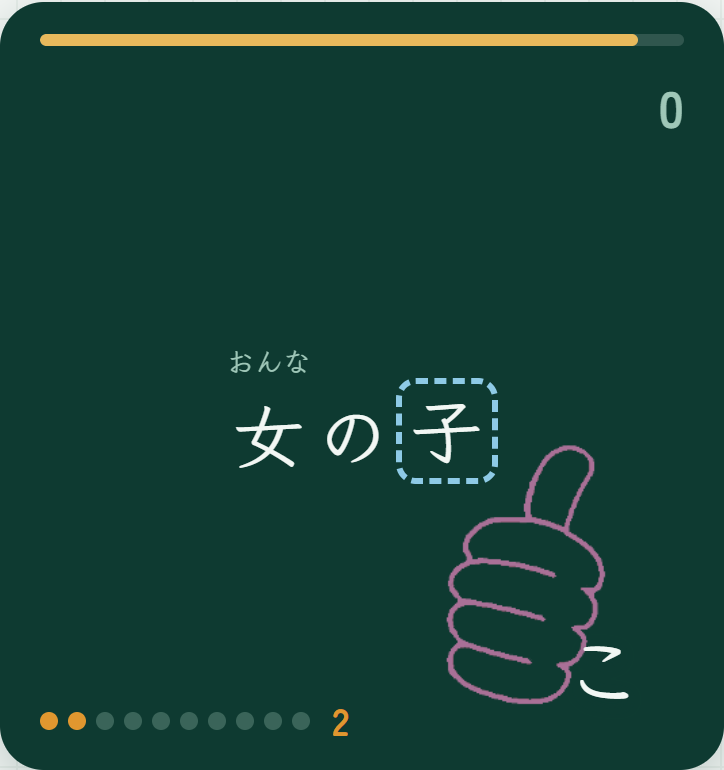
Answer how the framed kanji is read
2Two ways to answer
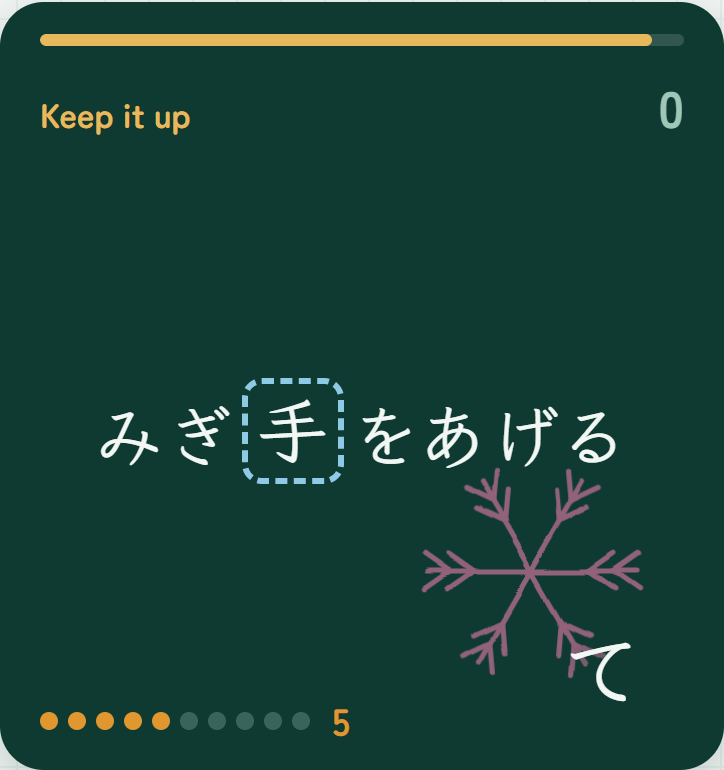
Answer the readingThe kanji is framed. Spell out how it is read, in kana
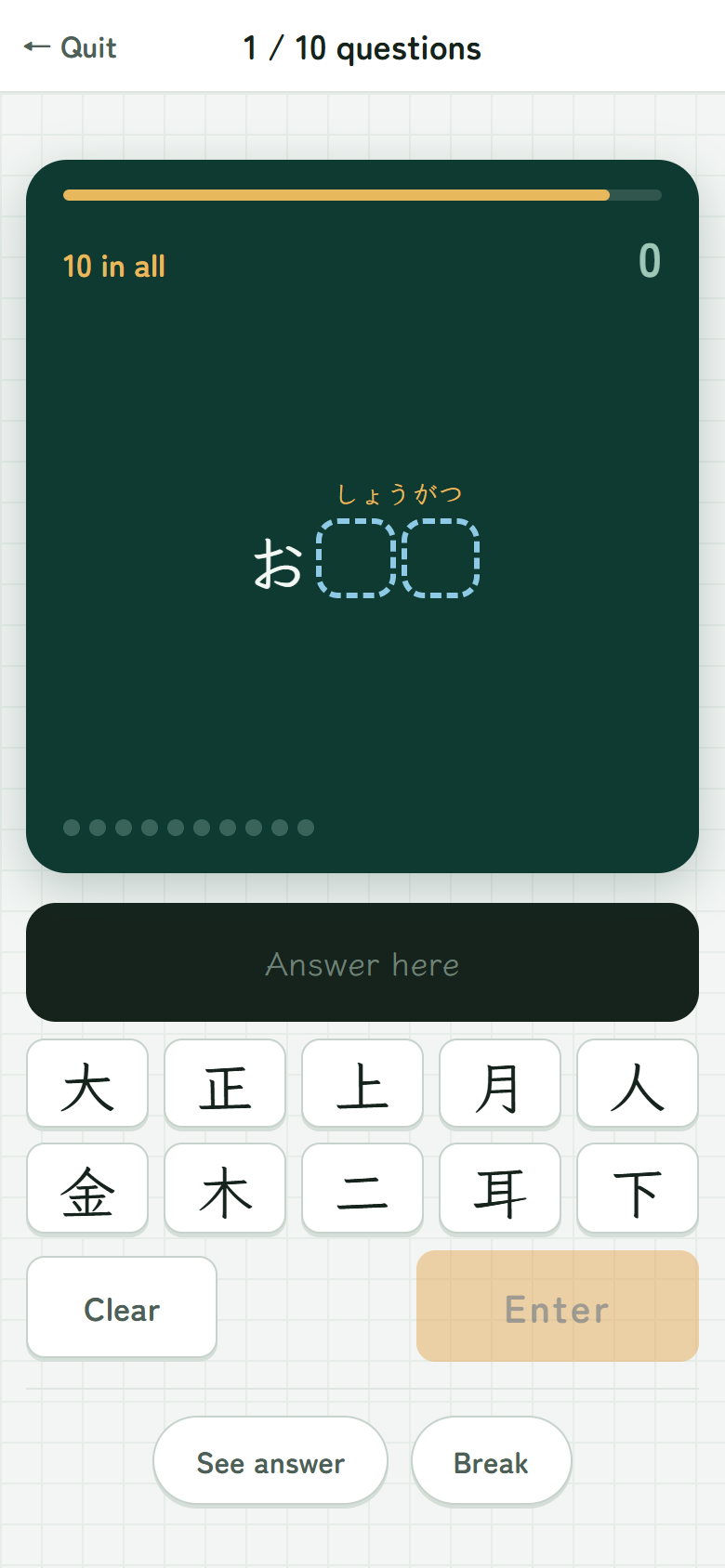
Answer the kanjiThe spot becomes a □ with the reading above it. Choose the kanji
Either way, just pick from the ten choices shown below.
Tapped the wrong one? “Clear” takes it back.
Sometimes a whole compound word such as 日本 is asked at once.
Then two boxes appear — pick both characters, then tap “Enter”.
Under 4 seconds, so you get a thumbs-up
3Answer fast and you get a better mark
When you get it right on the first try, the mark depends on how fast you were.
Thumbs-upUnder 4 seconds
Flower circleUnder 10 seconds
CircleSlower, but correct
Green circleCorrect after a wrong answer
The bar at the top of the blackboard shows how fast you are going.
A wrong answer never gets an ✕ — if no mark appears, just think again.
The dots below count your correct answers in a row
4Five in a row wins a picture
Every 5 correct answers in a row, you win one picture.
Your pictures go into the Collection — 58 in all.
Once you have a picture, it stays yours forever.
A “?” is one you have not won yet — you never know which is coming until you get it.
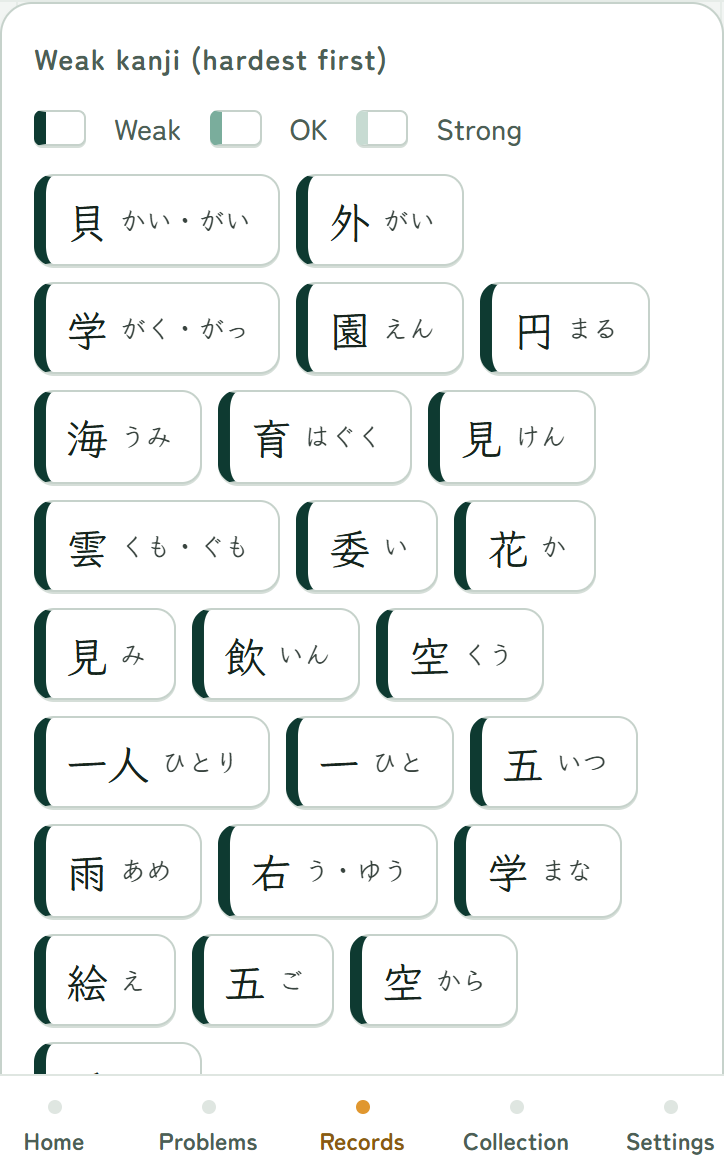
Darker green means weaker
5Your weak kanji show up more
The app remembers the kanji you got wrong, or have not seen for a while,
and puts them first next time.
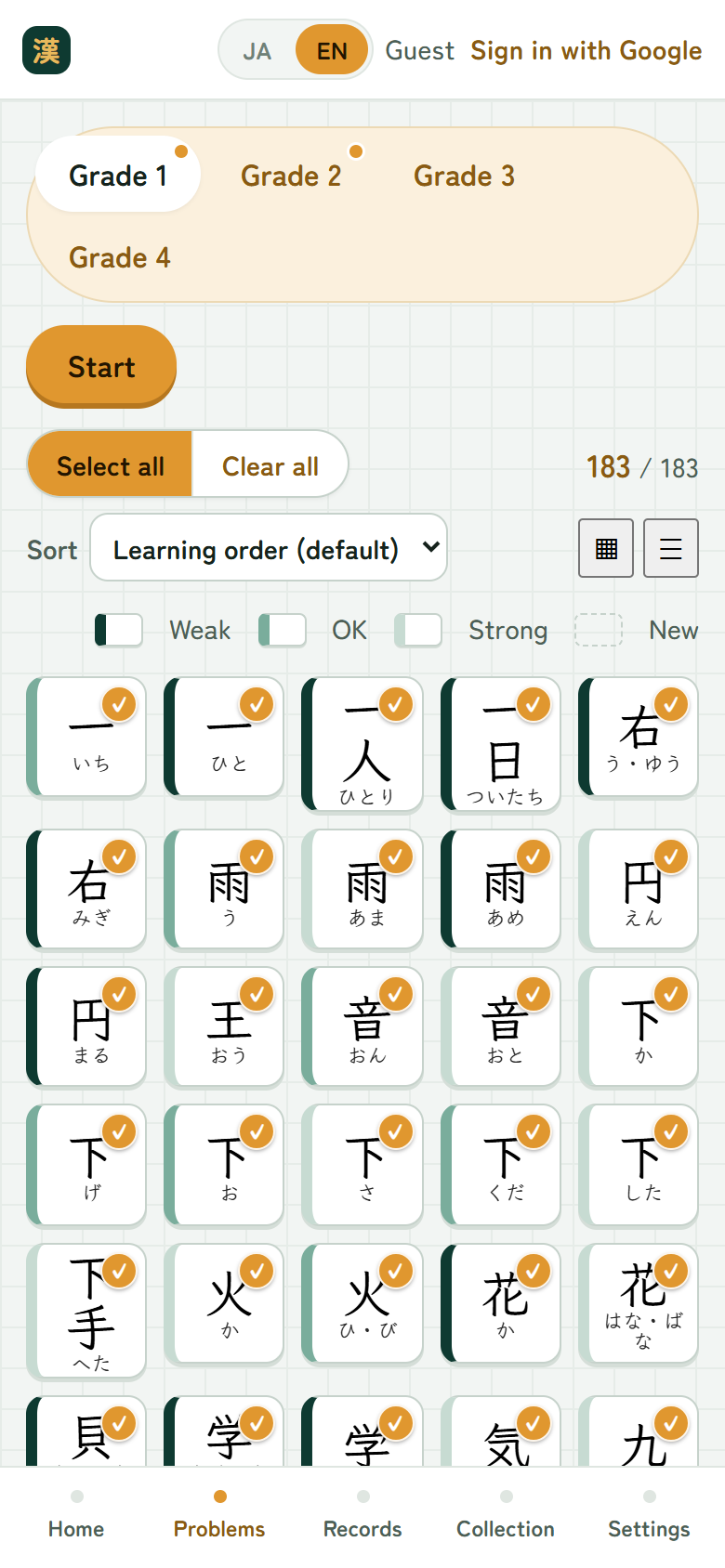
On the “Problems” screen you can choose which kanji to practise, year by year.
One square is one reading — the same character with a different reading is its own square.
6Kanji you miss keep coming back
Miss the same question twice and the app shows you the answer,
then brings it back three questions later — so you never end up stuck.
A missed kanji stays on the list until you get it right — it does not
disappear the next day. “Try again now” on the Home screen drills just those.
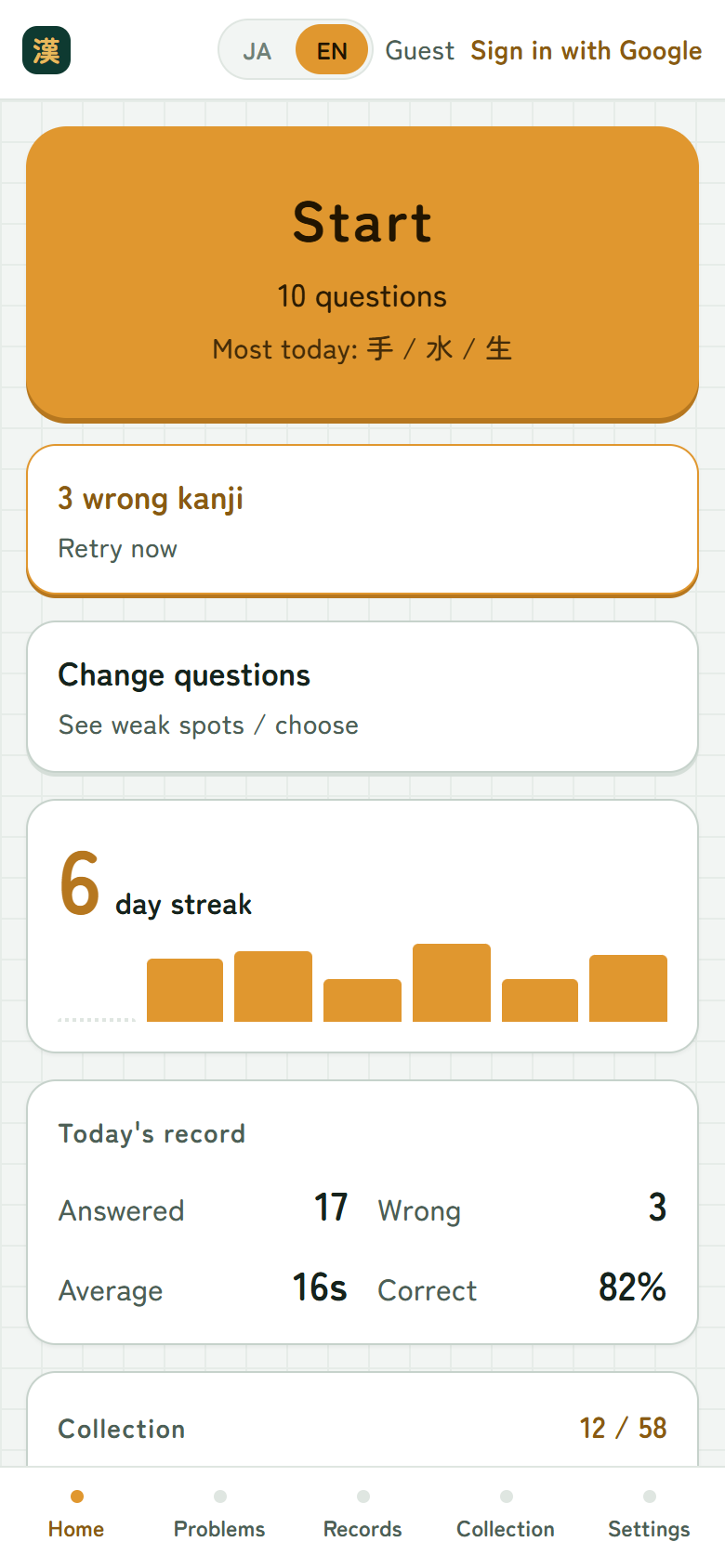
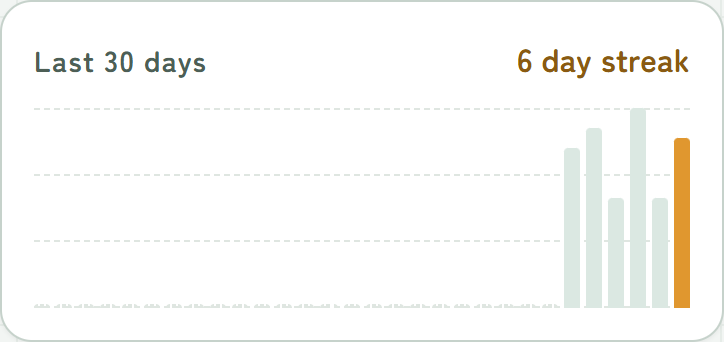
See how many days you have kept goingThe 24 weakest are listed
7Your record stays
How many you answered, how fast you were, and how many you got right —
every day is recorded. A perfect day earns a 💮.
Play every day and your “day streak” keeps growing.
The kanji you are weakest at are listed as chips, too.
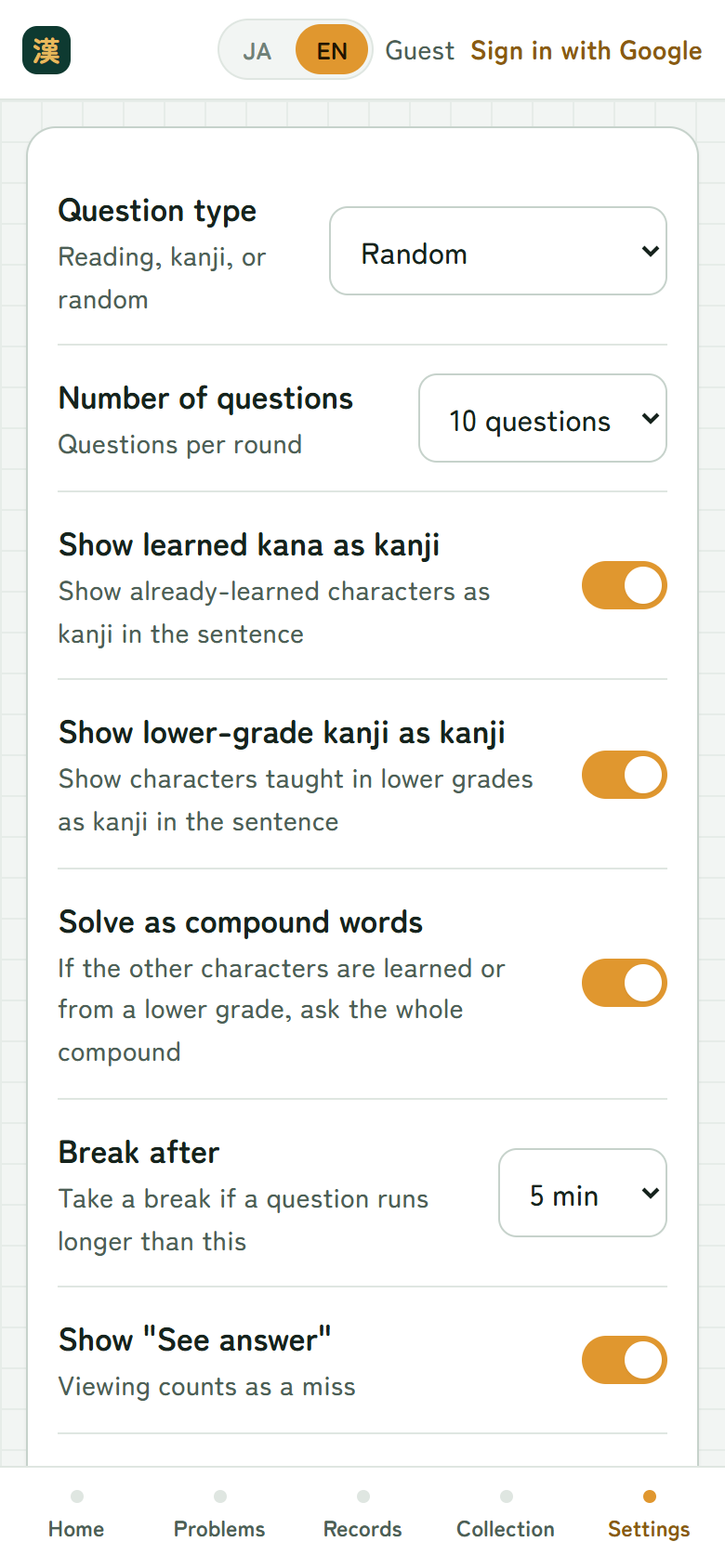
8Change it to suit you
You can ask only readings, only characters, or mix the two.
You can also change how many questions come in a round, and turn sound and vibration on or off.
You can turn on “See answer” too. But looking is recorded as a wrong answer,
and that question will come back to you later.
Before you sign in, you play as “Guest”
9Play right away, no sign-in
No name, no password. Just open it and start.
Sign in with Google and your record is saved, so you can carry on from another device
such as a tablet or a computer. Everything you did before signing in comes with you.
Weak kanji come up more often
The unit of learning is one character paired with one reading. 右 read
“migi” and 右 read “yuu” are counted separately, each with its own record. Characters
answered wrongly, or not seen for a while, are asked first.
The range is chosen by school year (year 1 by default). Each square is one
reading, shaded by how weak it is. Eight sort orders are available — curriculum order,
reading, last answered, accuracy and so on — plus an index that jumps by first kana.
All six school years are included: 1,026 characters and about 5,750 questions.
That covers every kanji taught in elementary school.
Asked from both sides
Reading mode shows the character and asks for its reading;
writing mode shows the reading and asks for the character. The default
mixes them at random, one per question; either can be fixed in the settings.
Answers are picked from ten choices. The choices are built on the server;
in writing mode they include characters of the same year with the same reading, so guessing
does not get you far — and no handwriting input is needed.
Within the sentence, characters already mastered are shown as kanji and the
rest carry furigana. Characters from earlier school years are shown as kanji too (this can be
changed). Compounds such as 日本 are asked whole once the other character is known.
Getting stuck does not end the round
Miss the same question twice and the app shows the answer, then brings that question back
three questions later, so a child is not left stuck.
A missed character stays until it is answered correctly — it is not
discarded the next day. “Try again now” on the Home screen drills only what is unresolved.
“See answer” is recorded as a wrong answer the moment it is used.
Looking is not a bad thing — it is simply recorded, and the question comes back later.
A wrong answer never shows an “✕”; the signal is the absence of a mark, plus sound and vibration.
See where the weak spots are
Each day’s answer count, average time and accuracy are kept, and a 30-day chart shows the
days kept up. The 24 weakest characters are listed as chips, each with its reading.
Red and green are not used as a pair. Colour vision differs from person to person, so the
scale is shades of a single colour.
A typeface you can copy from
Everything a child is meant to learn from — the sentence on the blackboard, the kanji grid,
the answer choices — is set in a textbook-style typeface (Klee One). The rest of the
interface uses a rounded gothic face.
A rounded face softens every stroke end, so the stops, hooks and sweeps
that define correct kanji shapes disappear. Fine for reading, but not a model to learn
from — hence the switch for the characters being studied.
No sign-in needed
No name, no password — open it and start. Without signing in, the record is tied to the
browser session.
As a guest, the record is lost if the browser’s data (cookies) is cleared.
Sign in with Google to keep it. Everything played as a guest carries over to the account,
and can be continued on another device.
Note that a guest record is not merged into an account that already has one
(there is no right answer to which numbers to keep). One account is one child — for
siblings, sign in with separate accounts.
Adjust it to your child
How to ask: random / readings only / characters only
Questions per round: 10, 20 or 30
Show mastered characters as kanji in the sentence
Show earlier-year characters as kanji, treating them as already known
Ask compounds whole when the other characters are known
Break after: if one question takes longer than this, a break starts
Whether to show “See answer” / sound and vibration
The app itself is available in Japanese and English (the JA / EN switch in its header).
What keeps them going: collecting pictures
Every 5 correct answers in a row wins one hand-drawn picture — 58 in all.
Once won, a picture never goes away.
The marks work the same way. Speed only counts on a first-try answer —
a correct answer after a miss gets a different-coloured circle, however fast.
More apps from the same team
The sister apps to Daily Kanji
Daily Math
An app for practising arithmetic. Answer the problems on the blackboard with the number keys.
Just like the kanji app, the ones you find hard come up more, and a streak of correct answers wins a picture.
An arithmetic drill built the same way. Addition, subtraction, multiplication and division —
42 types in all, including problems with a box (□ + 5 = 12). A round is 10 questions, about
three minutes. Weak spots come up more, and no sign-in is needed, the same as this app.
An app for learning what proverbs mean and when to use them.
Answer the blackboard by picking one of four cards, and the ones you find hard come up more.
A drill covering 130 Japanese proverbs, asked in three ways — fill in the blank, match a meaning,
or match a scene — and answered by picking one of four cards. A round is 10 questions, about three
minutes. Weak spots come up more, and no sign-in is needed, the same as this app.
 Daily Kanji

 Daily Math
 Daily Proverbs